Making Work Contribution easier with AI
Helping employees capture, organize, and add context to meaningful work with less manual effort.
I led the design direction and end-to-end UX for the next phase of Work Contribution, an Amazon product employees use to document meaningful work throughout the year. I owned the entry strategy, flows, interaction design, and prototypes across three connected improvements—AI suggestions, automated tagging, and contextual feedback—while partnering weekly with Product, Engineering, and Applied Science on safety and feasibility.
My role
UX Designer · End-to-end design lead
Timeline
Mar – Jul 2026
Team
1 Designer · 1 PM Engineering · Applied Science
Impact
68K eligible employees AI suggestions: +62% creation after launch Tagging: 79% → 99.99% LP coverage
Some details, names, and interface content have been modified to protect confidential information.
What is Work Contribution?
Employees use Work Contribution to document meaningful projects, actions, and impact throughout the year. Managers can use those records across Annual Review, Promotion, Contribution Summary, Team Insights, and other talent experiences.
Creating a contribution still took too much manual work
Work Contribution was already live, but employees still had to do most of the work themselves—from remembering what was worth capturing to organizing the final record and gathering feedback. The form worked, but the experience around it still required too much effort.
01
Employees were capturing work too late
Employees had to remember meaningful work on their own and document it later. In Q1, 82% of contributions were submitted after managers had already entered their initial ratings, making that information less useful when managers needed it most.
02
Contributions were often incomplete
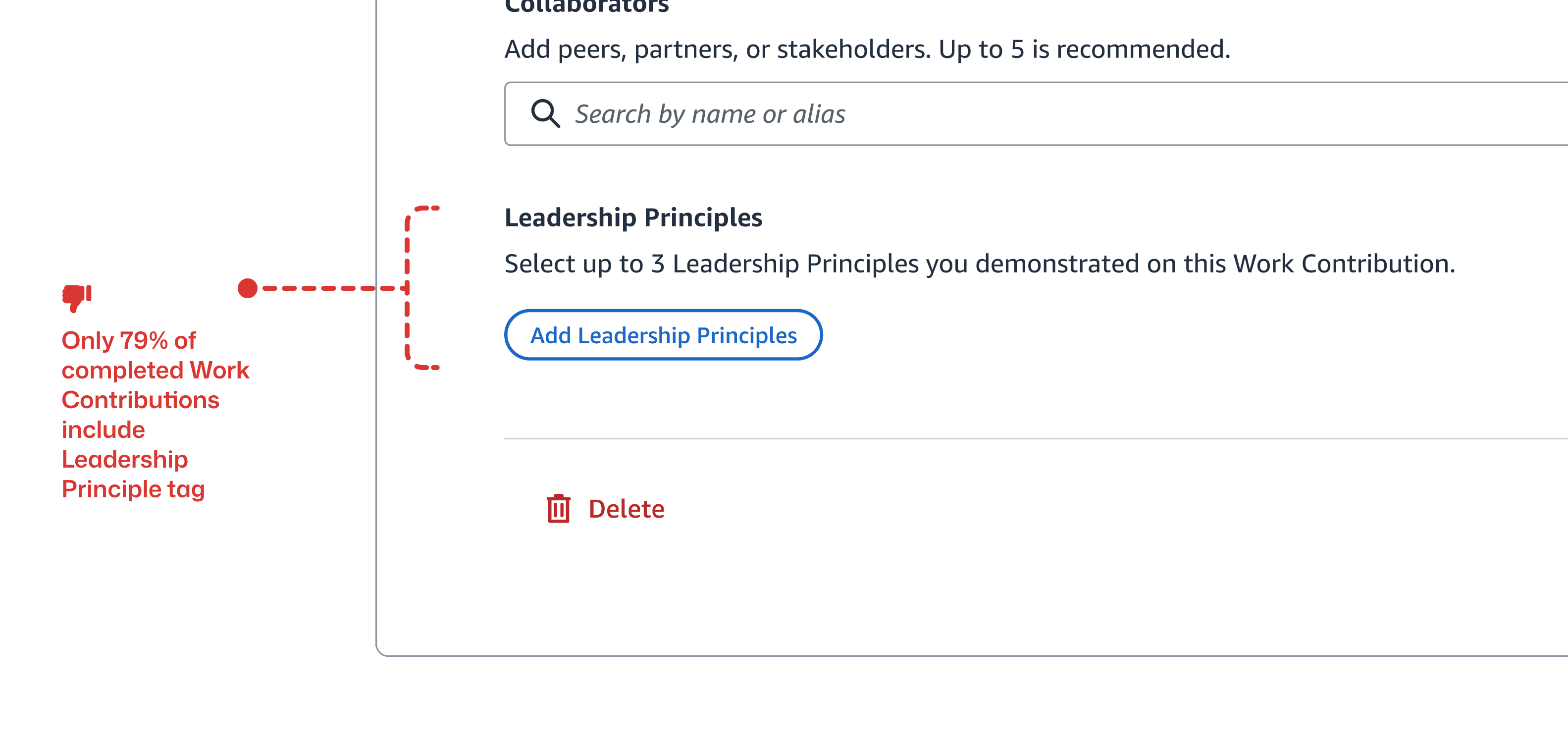
Only 79% of completed contributions included a Leadership Principle tag, while collaborator feedback lived in a separate experience. Employees were doing extra work to build a record that could still be missing important context.
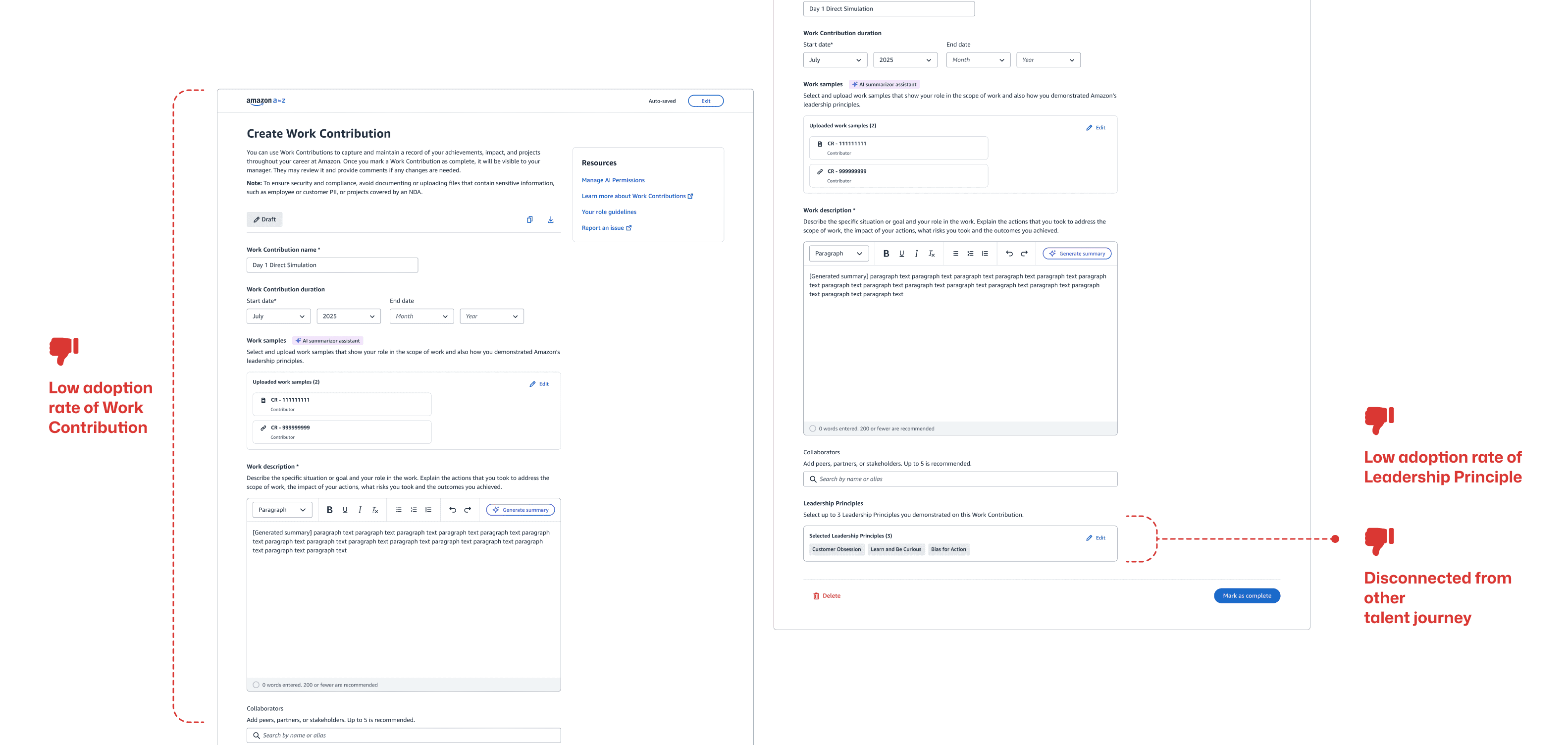
The form wasn’t the real problem. Employees needed more help along the way.
Three places where the product could do more
Instead of redesigning the form again, I focused on three moments where employees were doing unnecessary work: getting started, organizing what they wrote, and adding context from collaborators. These became three connected improvements—AI suggestions to help employees start, automated tagging to help them organize, and contextual feedback to bring in another perspective.
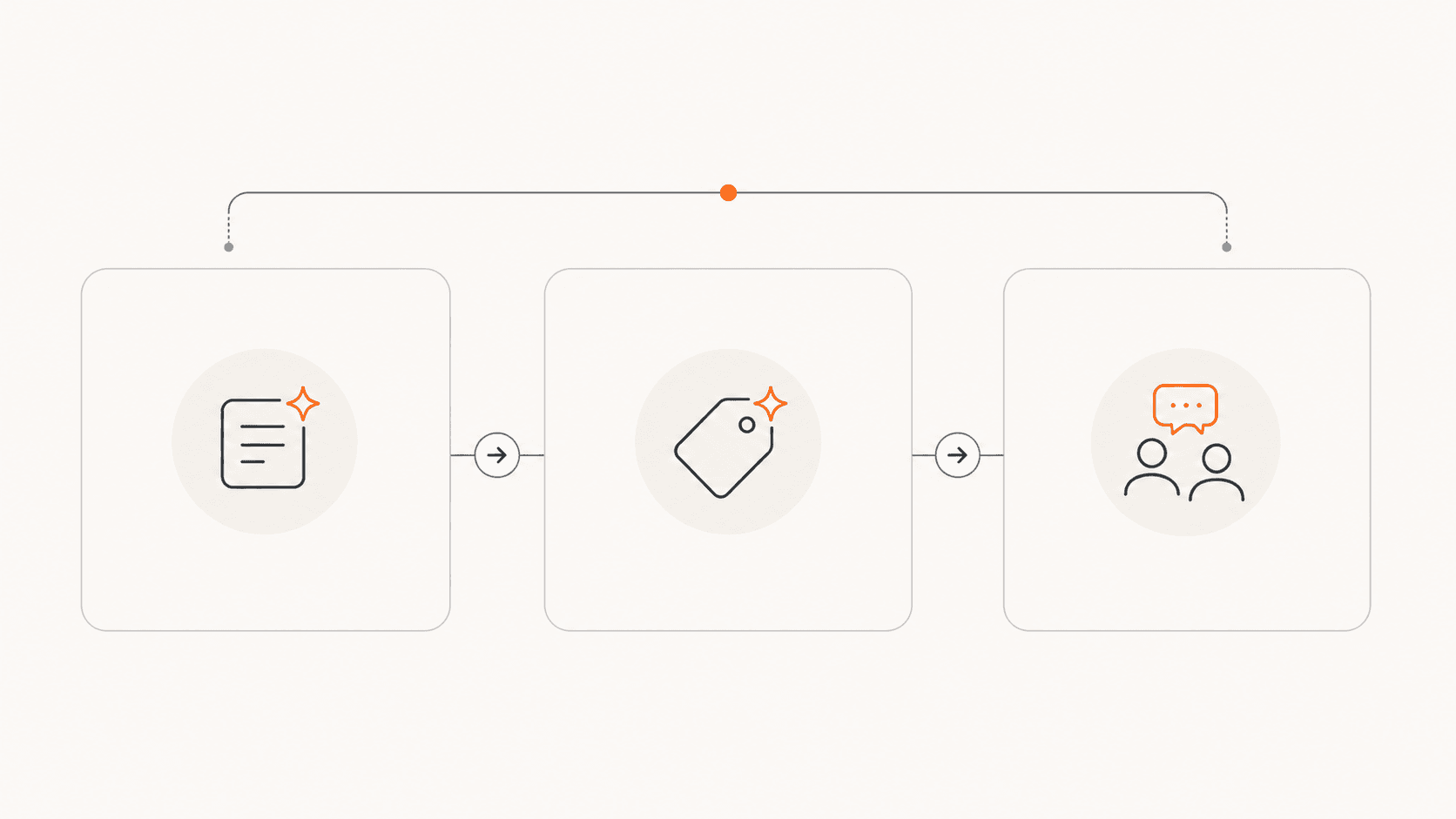
Feature 01 — AI Suggestions
Our first AI concept created another workflow
The initial direction sent employees from Work Contribution into a separate AI chat, where they had to explain what they needed, wait for a response, copy the result, and return to finish their contribution. AI helped with writing, but it also introduced more steps and more context switching.
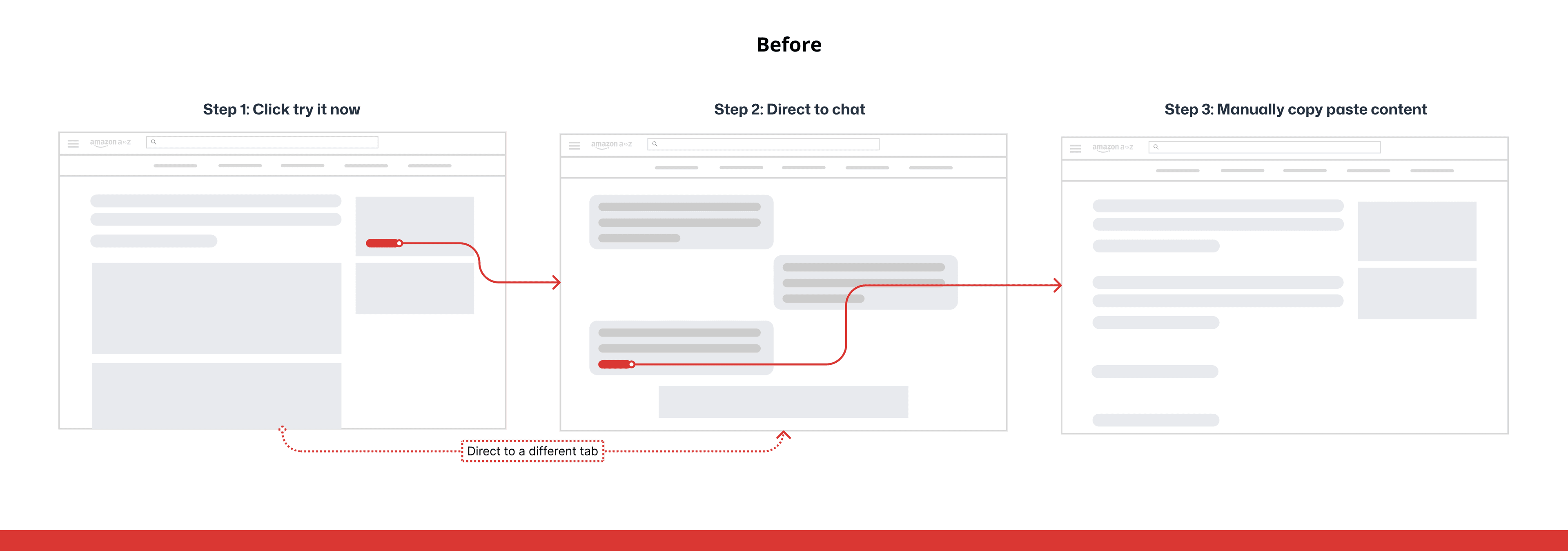
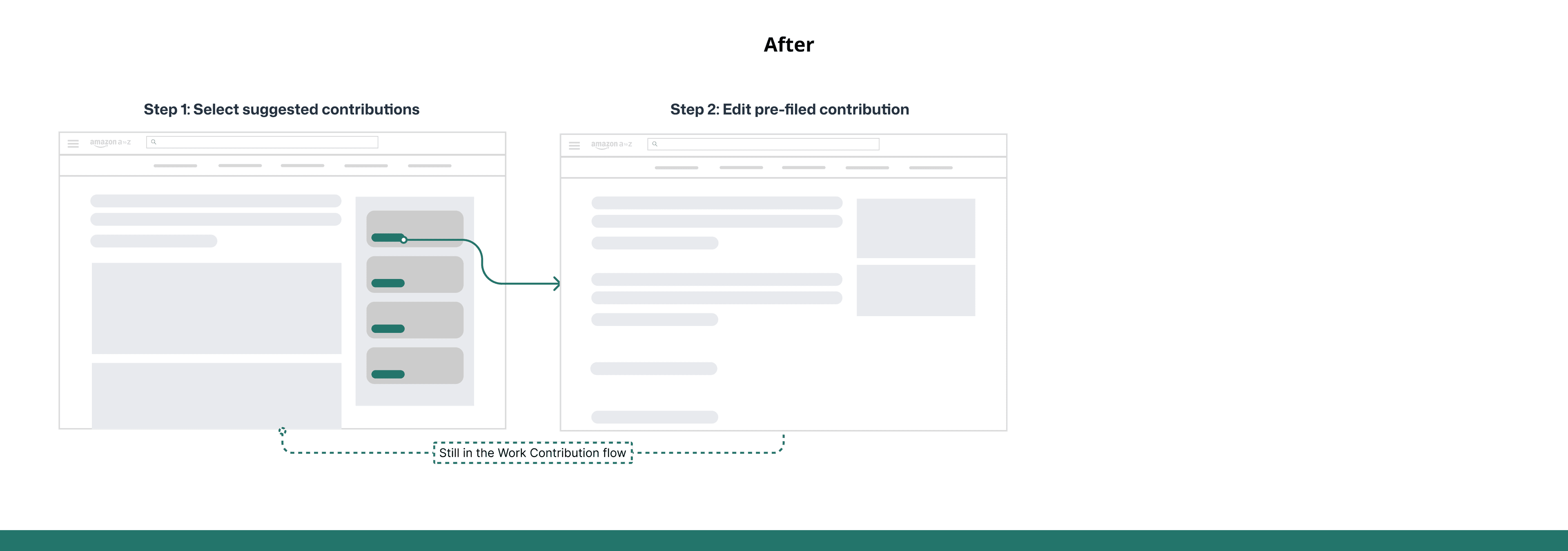
If the product already has context, people shouldn’t have to prompt for it again.
Three decisions made AI feel like part of the product
The design goal was not simply to generate better text. I had to decide when suggestions should appear, how much effort employees should spend to reveal them, and where human judgment still mattered. I used a coded prototype to make those tradeoffs concrete in weekly reviews.
01
Meet employees in two moments
A dashboard entry helped employees notice work they had not documented, while a create-page entry supported people who were already ready to write. Both routes ended in the same editable draft.
02
Remove a click that added no control
The first in-product version hid the draft behind Generate. Because employees could still edit or discard the result, the button delayed value without making the experience safer, so I surfaced the draft immediately.
03
Keep publishing intentional
I automated the starting point, not the final record. Employees could revise the draft, discard it, or publish only when it accurately represented their work.
Designing within privacy constraints
I raised an early question about how much access employees would accept in exchange for better suggestions. Rather than asking for local files or broader computer activity, I worked with Product, Engineering, and Applied Science to define a deliberately narrow pilot.
01
Use an existing work signal
The pilot used internally visible ticket activity—including ticket content, work volume, and participation—to identify potential contributions without reaching into employees’ personal files.
02
Limit the first audience
We made the experience available to 68,000 eligible employees within one engineering organization, giving us a controlled way to test the concept before considering broader data sources or audiences.
Feature 02 — Automated Tagging
Writing was only part of the work
Contributions also needed Leadership Principle and Role Guideline tags so the work could be understood and reused across other talent experiences. Tagging was completely manual, which meant employees had to search through long lists and decide what applied on their own; only 79% of completed contributions included an LP tag.
A one-click shortcut still needed a clear trigger
The simplest concept detected and added Leadership Principles automatically when content appeared. It saved a click, but it left the system without a reliable moment to document generation and made it harder for employees to understand why tags had changed. I chose an explicit trigger and an editable result instead.
01
Generate only when content is ready
After adding a work sample or description, employees initiate generation themselves. That action gives Engineering a clear event to process and gives employees a predictable cause and effect.
02
Keep the manual path equal
AI-generated and manual tagging remain available side by side, so employees can choose the faster starting point without becoming dependent on the recommendation.
03
Make correction obvious
The pencil opens a flyout with selected and unselected principles. Employees can remove an AI choice, add their own, apply the update, and save it only when they complete the contribution.
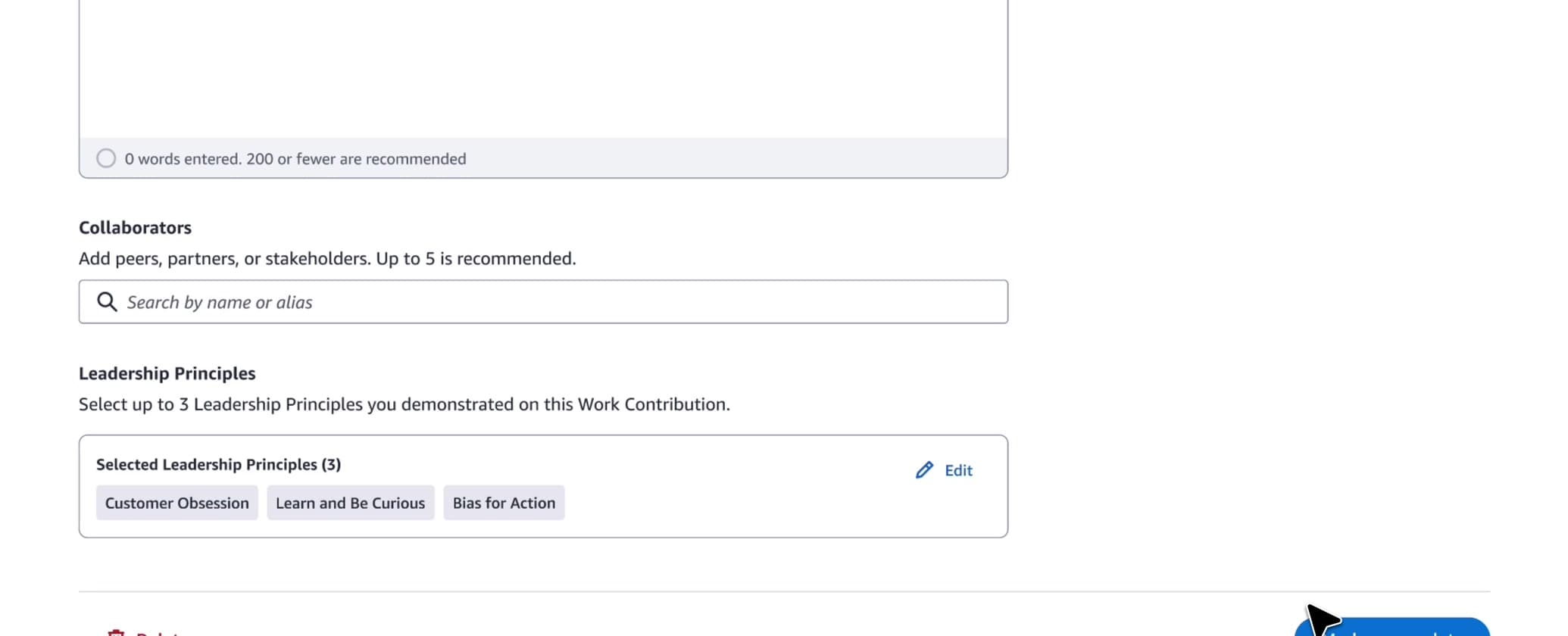
AI could recommend the answer. The employee should still make the final call.
Feature 03 — Contextual Feedback
Feedback lost context along the way
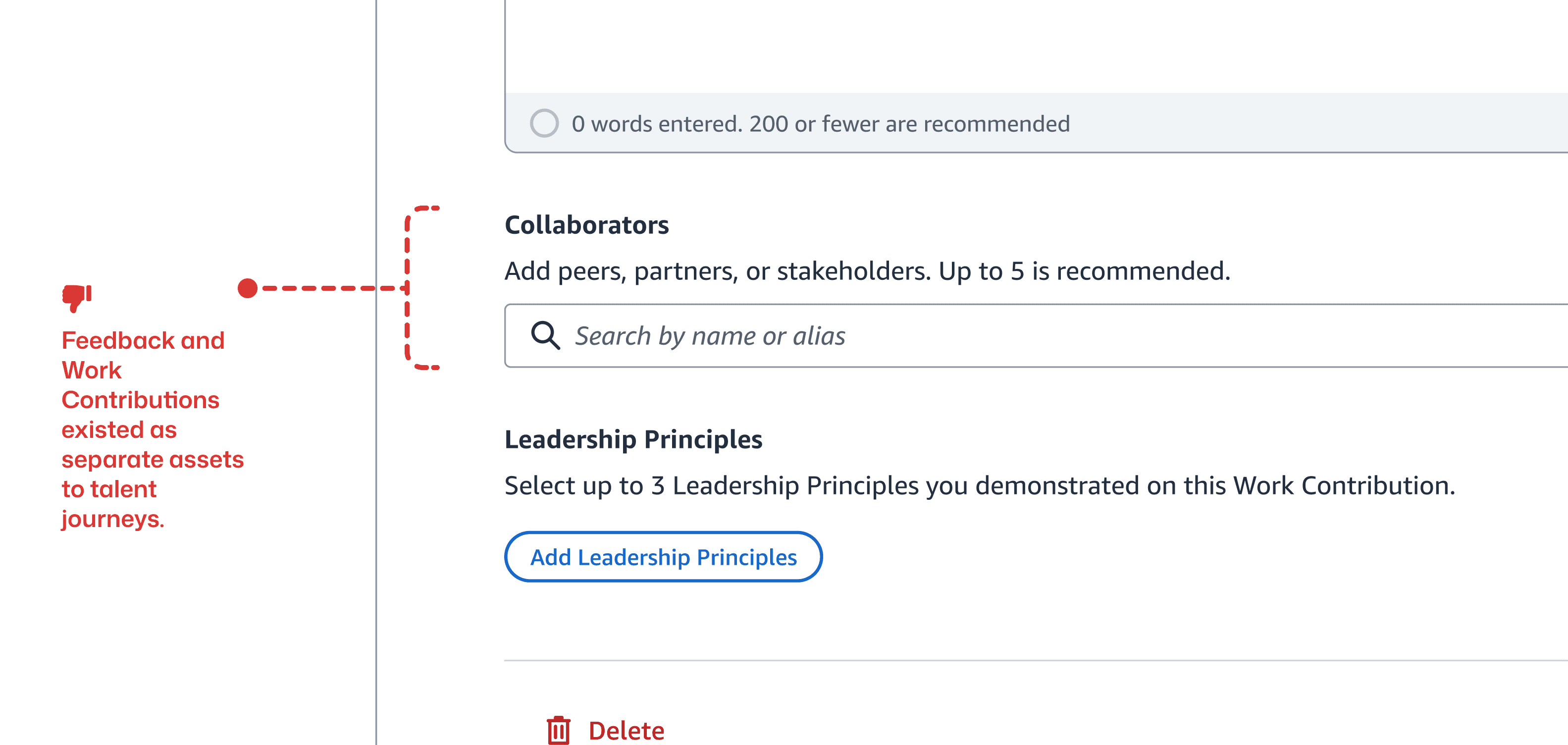
Employees could already add collaborators to a contribution, but requesting feedback required leaving Work Contribution and starting again in a separate experience. That created repeated work for the employee and less context for the person providing feedback.
01
Employees had to repeat themselves
Employees needed to find the same collaborator again and explain the same project again, even though Work Contribution already knew both the work and who was involved.
02
Collaborators had less context
The person receiving the request had to reconstruct what the project was and what part of the work they were being asked to comment on before they could provide useful feedback.
I prioritized feedback safety over immediate visibility
Embedding the request in Add collaborators preserved project context across products. My first version let employees read collaborator feedback immediately, but PM review surfaced a safety risk when comments were harsh or inappropriate. I chose the existing manager-mediated model and designed both sides: employees see requests they sent, while managers review feedback and decide what to share. The tradeoff is reduced transparency for employees—the key assumption I would test after launch. The final design and prototype are complete, and implementation is underway.
Measure the whole feedback loop, not just the click
After launch, I would measure the share of contributions that start a request, request-to-response and manager-share completion, time to response, and whether feedback is later reused in talent cycles. I would pair that funnel with qualitative research on whether manager-mediated visibility protects trust or frustrates employees, using abandonment and privacy concerns as guardrails.
Less manual work. More complete contributions.
Because the pilot timeline was compressed, validation came from weekly cross-functional reviews and post-launch behavior rather than formal usability testing. Early results are available for AI Suggestions and Automated Tagging; Contextual Feedback remains in implementation.
01
68K eligible employees
AI Suggestions was made available to approximately 68,000 eligible employees within the pilot engineering organization. This represents access to the feature, not the number of active users.
02
AI Suggestions: creation rose 62%
Work Contribution creation increased from the pre-launch baseline of 7,221 to 11,677 after launch, measured from the late-May/early-June baseline through mid-July.
03
Automated Tagging: 79% → 99.99% LP coverage
After launch, the share of completed contributions containing at least one Leadership Principle tag increased from 79% to 99.99%, reducing the gap created when employees forgot a tag or were unsure which principle applied.